
Reschedule a Lesson
NOTE: If you are trying to book a make-up class on your mobile phone, please ensure you are using the “Full Calendar” view, not the Mobile Calendar, which only shows your existing bookings.
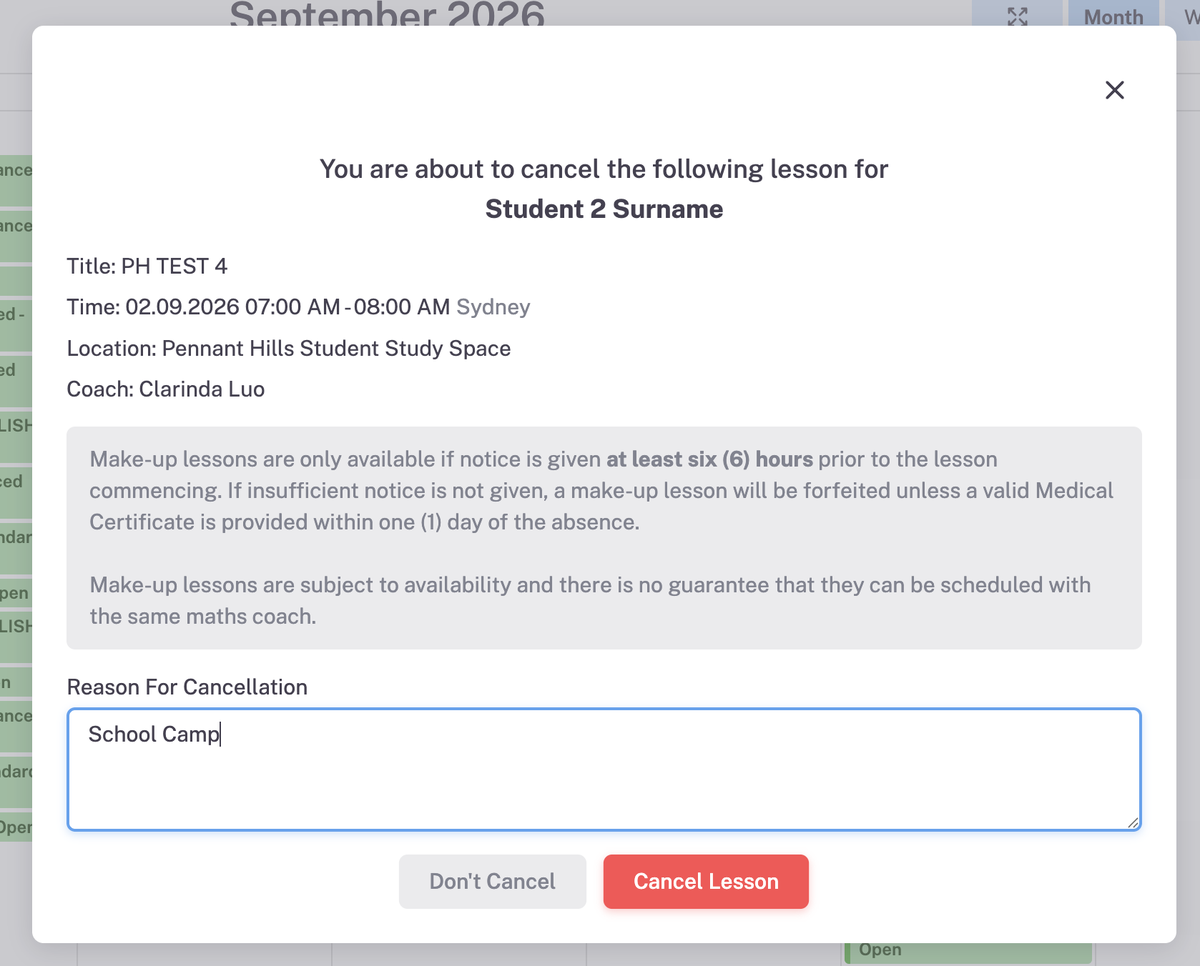
Reschedule a Lesson is to be processed a minimum of 6 hours prior to the lesson start time.
Reschedule a Lesson is to be processed a minimum of 6 hours prior to the lesson start time.
1. Cancel Lesson
Log In to Your Account
- Go to the Cherrybrook Maths Teachworks portal.
- Access the platform using your credentials.
#1. Upon logging in, click on the lesson you want to cancel and then click the eye to View lesson
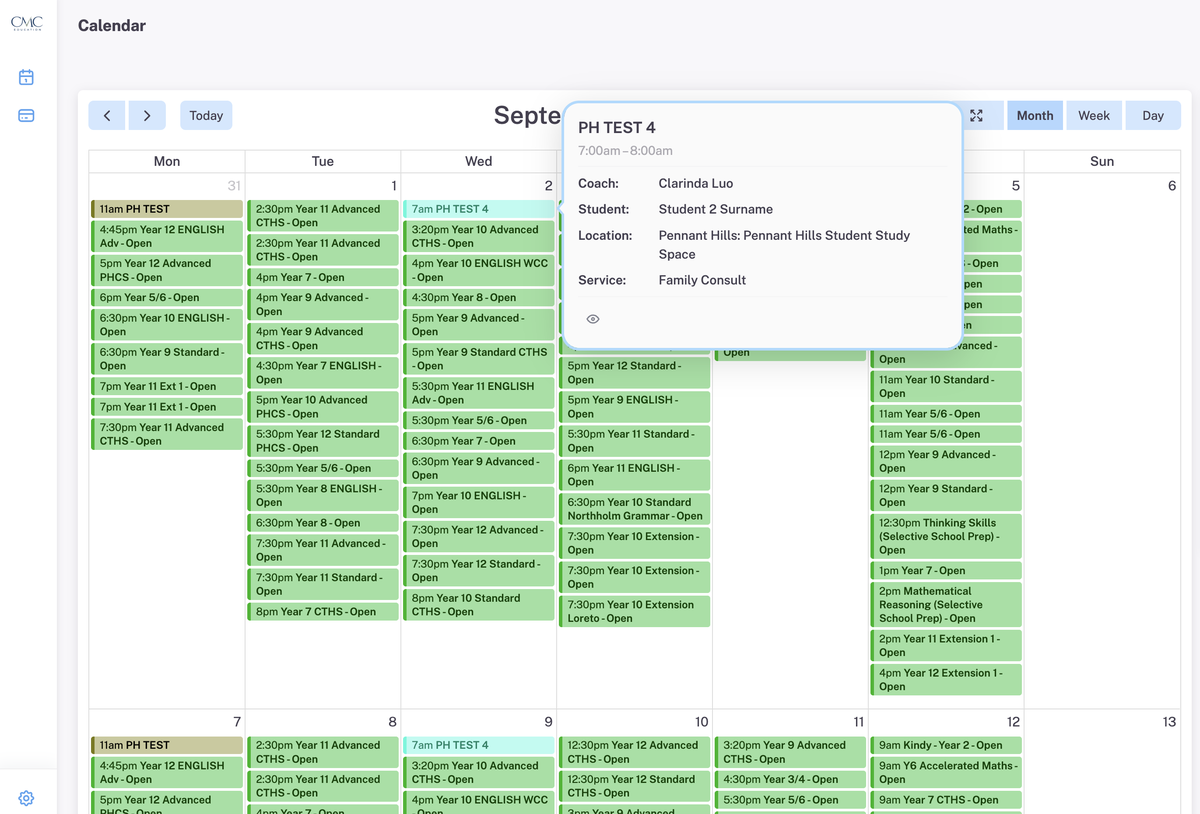
#2 This pop-up will appear after pressing View. Click "Cancel"
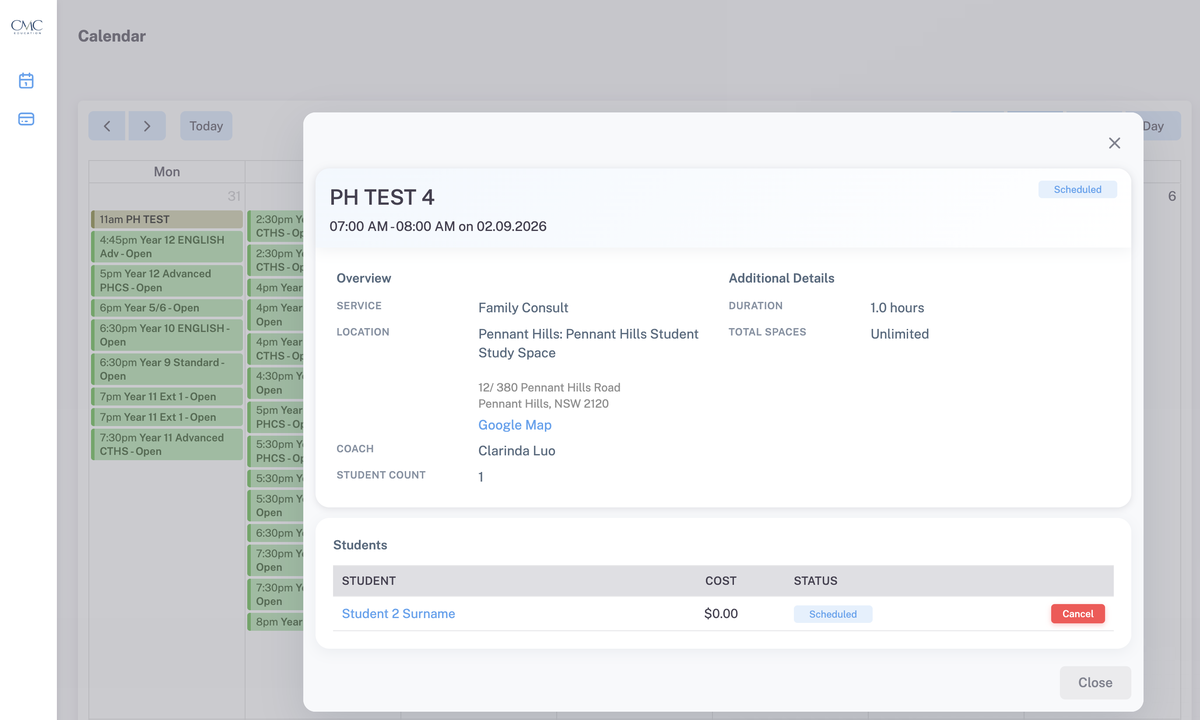
#3 Give reason for cancellation, it is a requirement. Click Cancel Lesson to complete cancellation
2. Book a Makeup Class
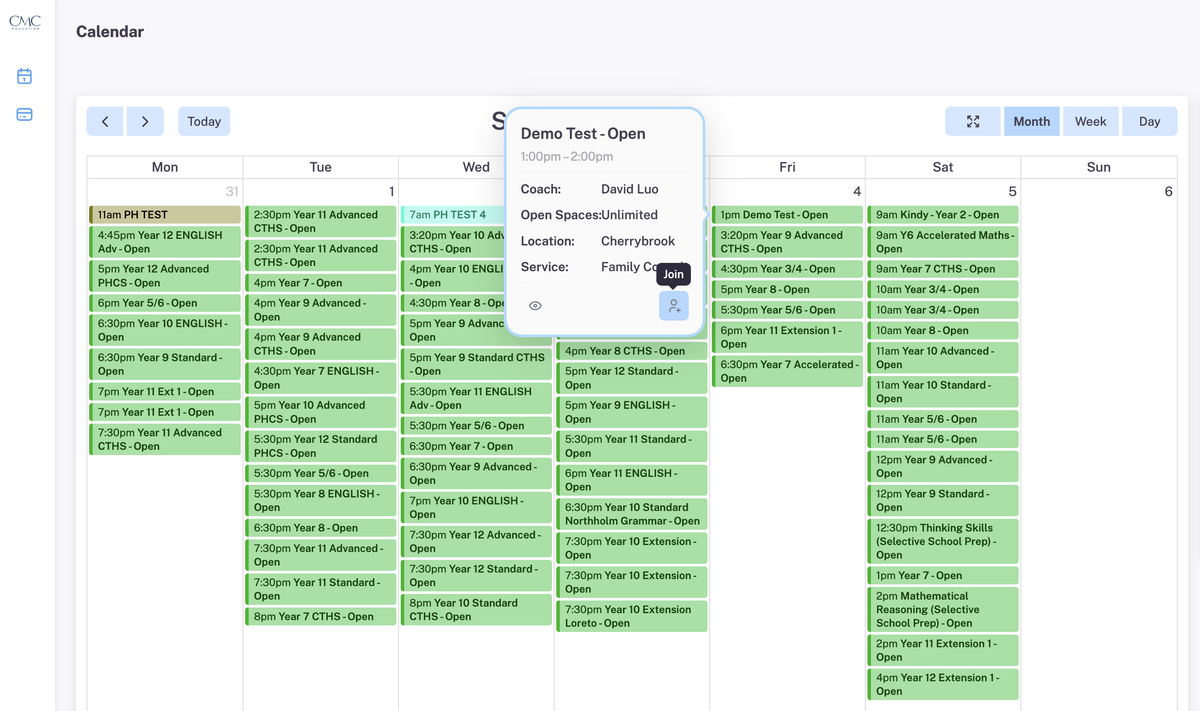
#4 TO BOOK A MAKE-UP. Choose and click on an appropriate lesson. Pop-up will appear
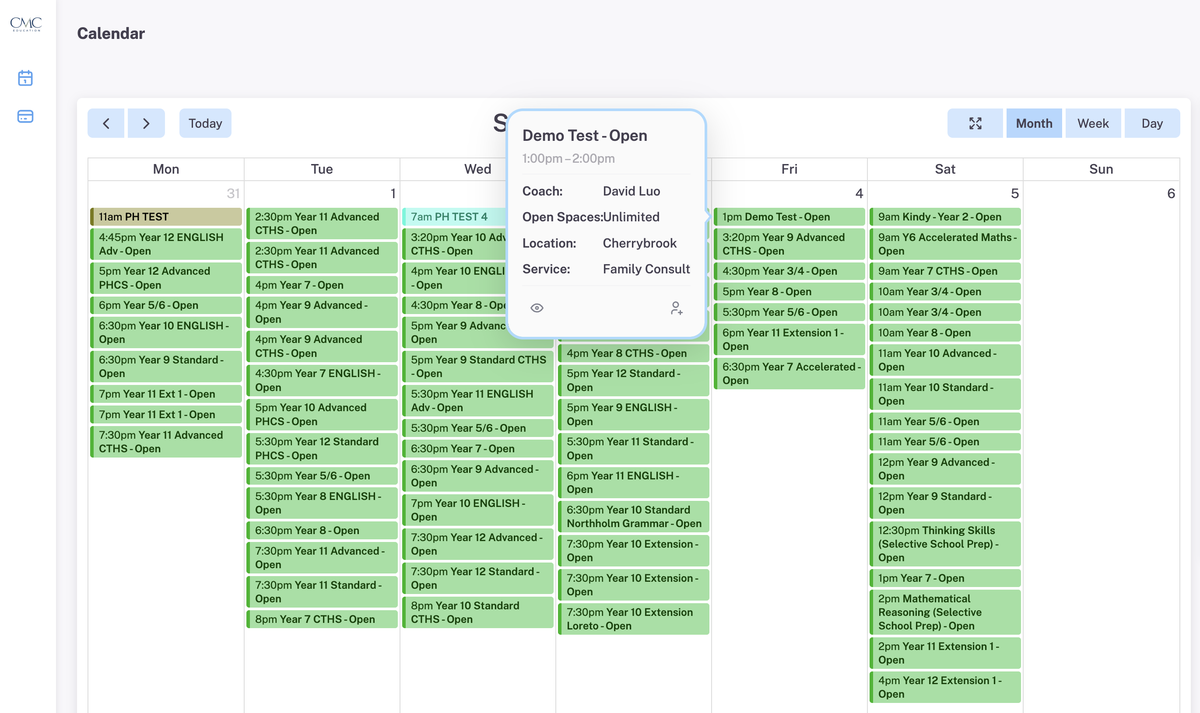
#5 Hover and click on Person to Join lesson
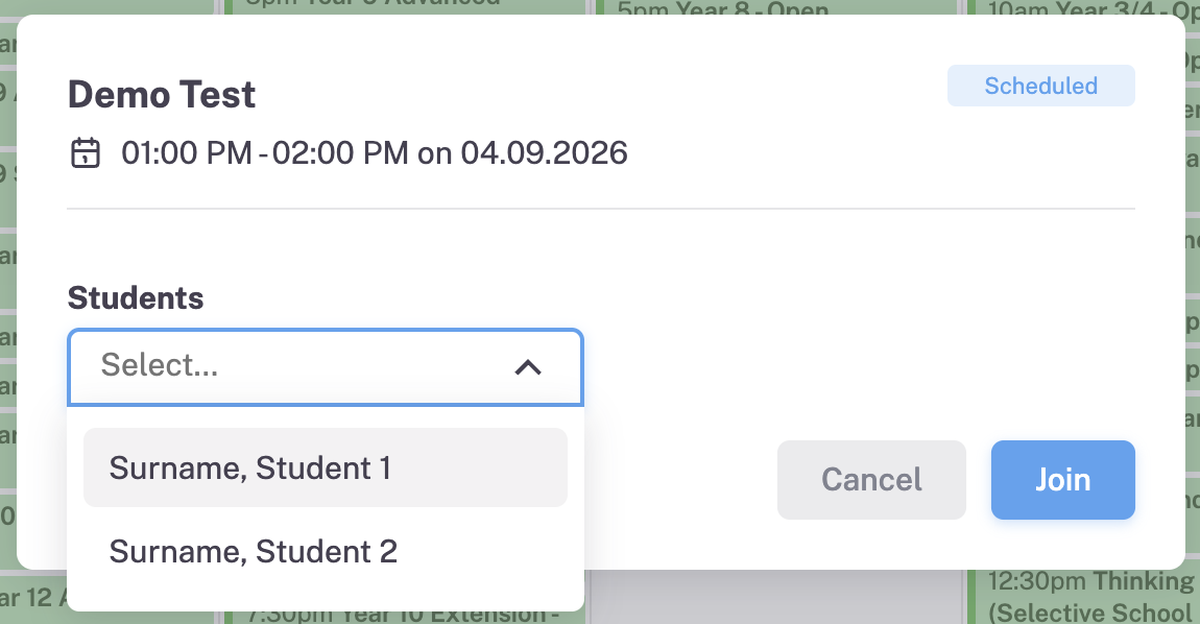
#6 Select your child's name from Students section and then click Join
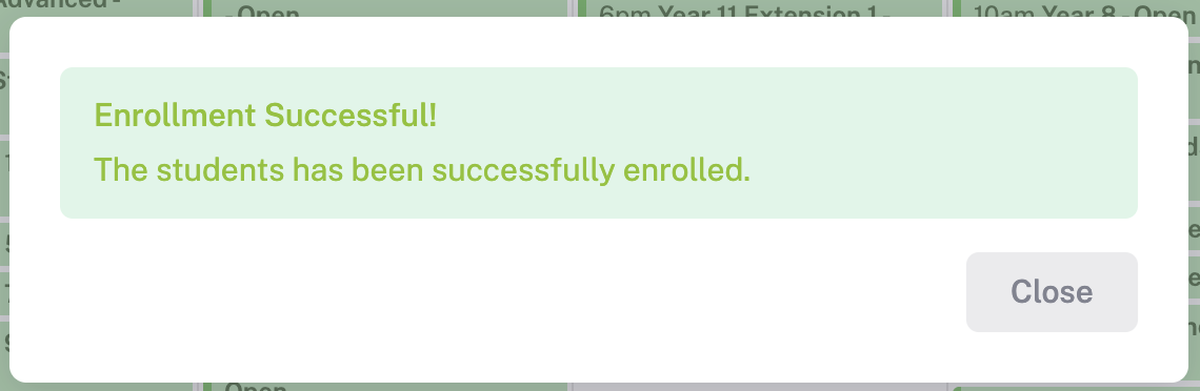
#7 Confirmation window will appear. Please note that email enrolment confirmation will not be sent after this.

If you have any questions or need further assistance, please don’t hesitate to reach out to us via the office email. Thank you for your cooperation and support—we appreciate your help in keeping everything running smoothly!